This article is a detailed example of how microfrontends can be implemented and integrated at runtime via JavaScript. The solution was originally inspired by Cam Jackson's article. The full code can be found in this GitHub repository.
Terminology
A host is a frontend application that contains and renders microfrontends.
A guest is a microfrontend application that can be rendered within a host or in a standalone application.
Introduction
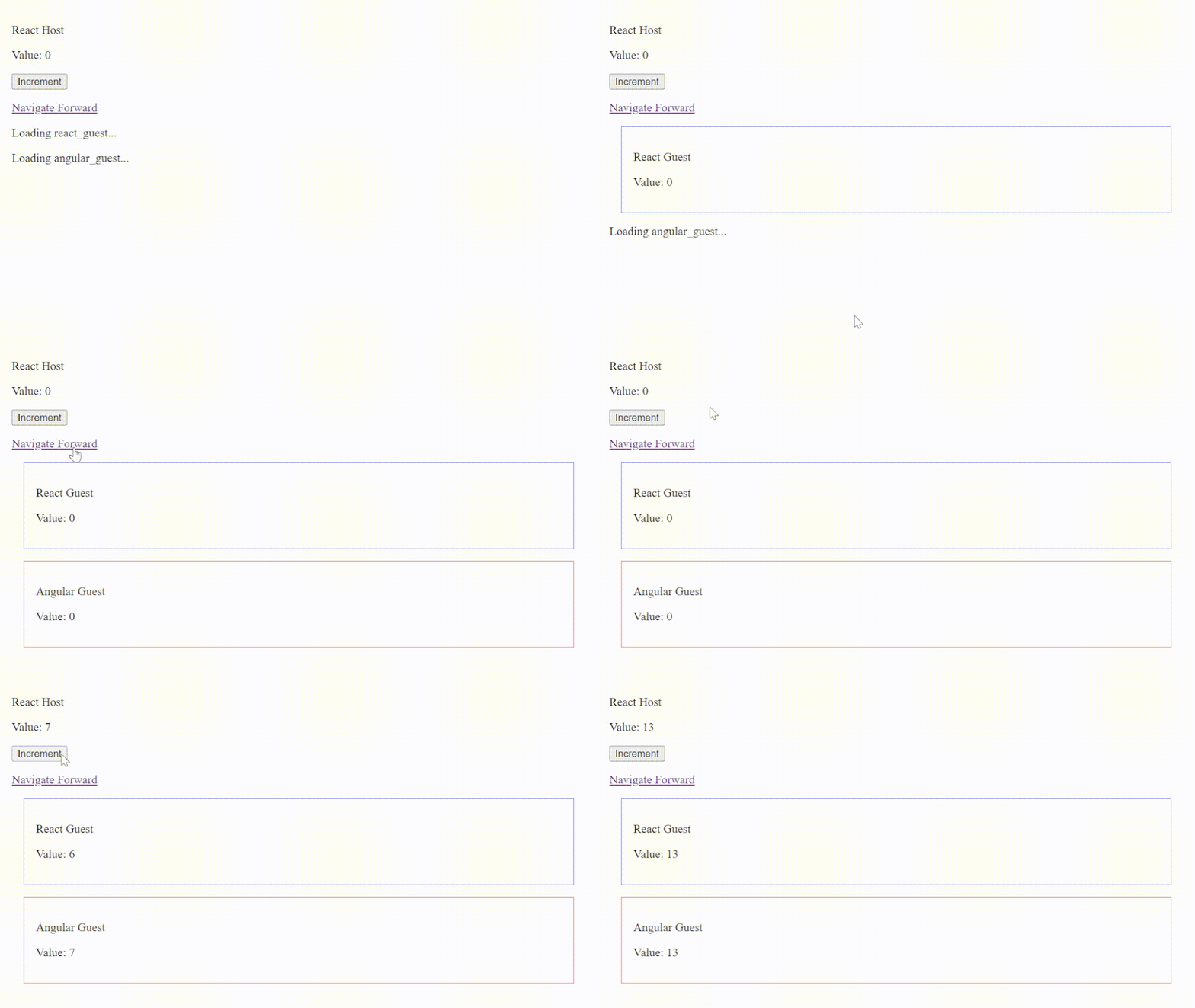
In this example, the host is implemented with React, but the solution is framework-agnostic and can be implemented with vanilla JavaScript or with any frontend framework. For demonstration purposes, the host integrates two guests. A React guest, and an Angular guest. Both the host and the guests are fully rendered at the client.
Implementing Guests
You can implement a guest with vanilla JavaScript or with any frontend framework of your choice as long as you export a function that mounts your microfrontend under a given HTML element.
For example, react-guest/src/app.tsx is an entry point for our React microfrontend and our goal is to render it on the host.
In react-guest/src/main.tsx, we export a function mountMicrofrontend to render the App component under a given element root.
// react-guest/src/main.tsx
export function mountMicrofrontend(root: HTMLElement) {
  createRoot(root).render(
    <StrictMode>
      <App />
    </StrictMode>
  );
}
To let our guest run as a standalone application as well, we will add an if-statement that checks whether an element with an ID equal to react-guest exists in the DOM or not. If it exists, then we are running as a standalone application because we know that the host cannot have an element with this ID by convention.
// react-guest/src/main.tsx
export function mountMicrofrontend(root: HTMLElement) {
  // ...
}

const root = document.getElementById("react-guest");

if (root) {
  mountMicrofrontend(root);
}
Implementing an Angular guest is similar to this. Feel free to look at angular-guest/ for an example.
Implementing a Host
Rendering Microfrontends
Our goal at the host is to dynamically import the mounting functions (i.e., mountMicrofrontend) and call them for each microfrontend that we want to render.
In our React implementation, we will handle this in the react-host/src/microfrontend.tsx component which takes the microfrontend's JavaScript source as a prop.
<Microfrontend src="http://localhost:5174/src/main.tsx" />Initially, this component renders an empty div element. When it renders, we will dynamically import the given JavaScript source and pass the div element to the exported mountMicrofrontend function.
// react-host/src/microfrontend.tsx
export function Microfrontend({ src }: MicroFrontendProps) {
  const ref = useRef<HTMLDivElement>(null);

  useEffect(() => {
    import(src).then(({ mountMicrofrontend }) => {
      mountMicrofrontend(ref.current);
    });
  }, [src]);

  return <div ref={ref}></div>;
}
Since the dynamic import is asynchronous, it is possible for it to be running even after the Microfrontend component has unmounted. To workaround that issue, we will ignore the dynamic import by not calling the mountMicrofrontend function if the component gets unmounted.
// react-host/src/microfrontend.tsx
useEffect(() => {
  let ignore = false;

  import(src).then(({ mountMicrofrontend }) => {
    if (!ignore) {
      mountMicrofrontend(ref.current);
    }
  });

  return () => {
    ignore = true;
  };
}, [src]);
This is the base implementation, feel free to look at the Microfrontend implementation provided in this repository for handling loading and errors.
Implementing Cross-Application Communication
Cross-application communication is implemented by dispatching and listening for custom events.
Suppose that we have a stateful value in our host, and we want to share it with our guests.
// react-host/src/app.tsx
function App() {
  const [value, setValue] = useState(0);

  // ...
}
To increment the value, we will dispatch a custom event named increment containing the incremented value.
// react-host/src/app.tsx
function App() {
  const [value, setValue] = useState(0);

  function increment() {
    const event = new CustomEvent("increment", { detail: value + 1 });
    window.dispatchEvent(event);
  }

  // ...
}
Notice that the increment function does not use setValue to update the state, it only dispatches an event on the window object. To update the state, we will attach a listener that listens for the increment event and updates the value with setValue.
// react-host/src/app.tsx
function App() {
  const [value, setValue] = useState(0);

  useEffect(() => {
    const controller = new AbortController();
    const { signal } = controller;

    window.addEventListener(
      "increment",
      (event) => setValue((event as CustomEvent).detail),
      { signal }
    );

    return () => controller.abort();
  }, []);

  function increment() {
    const event = new CustomEvent("increment", { detail: value + 1 });
    window.dispatchEvent(event);
  }

  // ...
}
This approach establishes a two-way communication channel. Guests can also listen for and increment the value by dispatching the increment event using the same technique described above.
That is it when it comes to cross-application communication. Now, whenever the state changes reactively, both the host and guests have a copy of the same value.